Query Situations
Search historical NBA games by team, site, game type, previous results, rest, spreads, totals, streaks, winning percentage, and season.

Historical NBA research from SnoopData
SnoopData Account
Log in with your SnoopData account to continue.
Subscription Required
A Pro Basketball or All Sports subscription is required to use this program.
Search historical NBA games by team, site, game type, previous results, rest, spreads, totals, streaks, winning percentage, and season.
Automatically search for qualifying NBA situations using your chosen team focus, season range, minimum sample size, and Z-score threshold.
Select a game date and apply the discoveries in your current archive to that day’s schedule.
Research workflow: Build and verify historical queries, let Night Shift discover situations, save the strongest findings in archives, and apply an archive to upcoming games with Daily Predictions.
Historical NBA Research
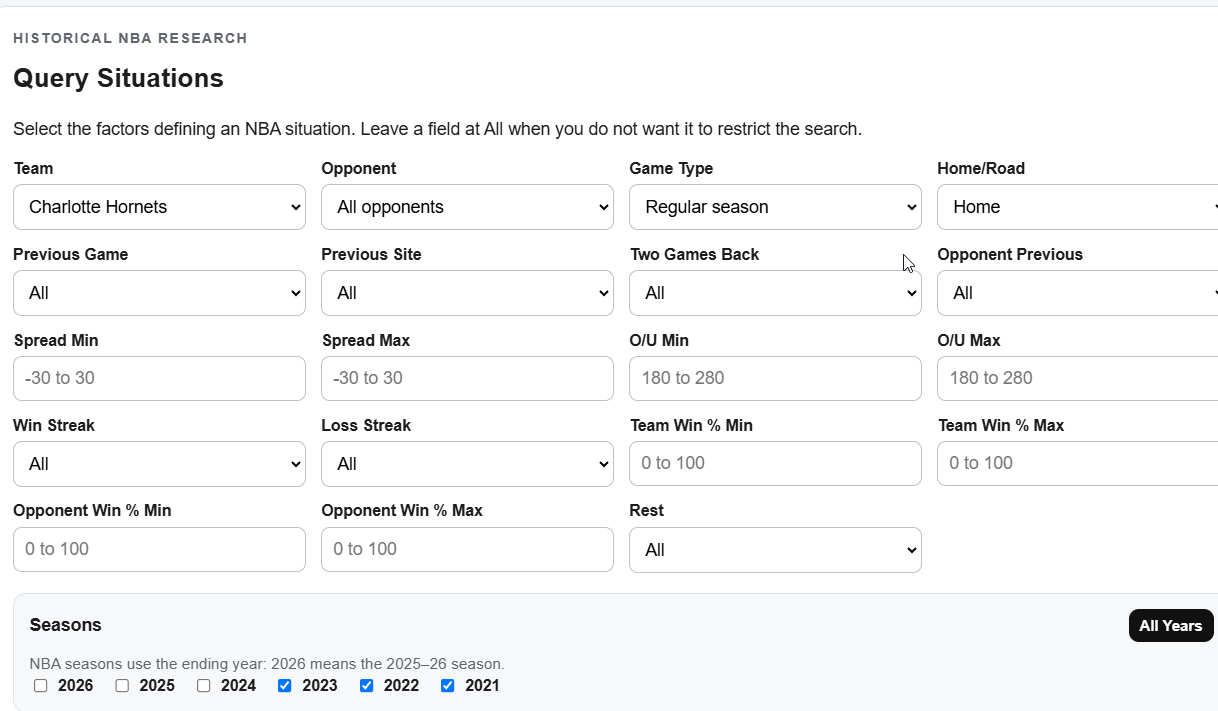
Select the factors defining an NBA situation. Leave a field at All when you do not want it to restrict the search.
NBA seasons use the ending year: 2026 means the 2025–26 season.
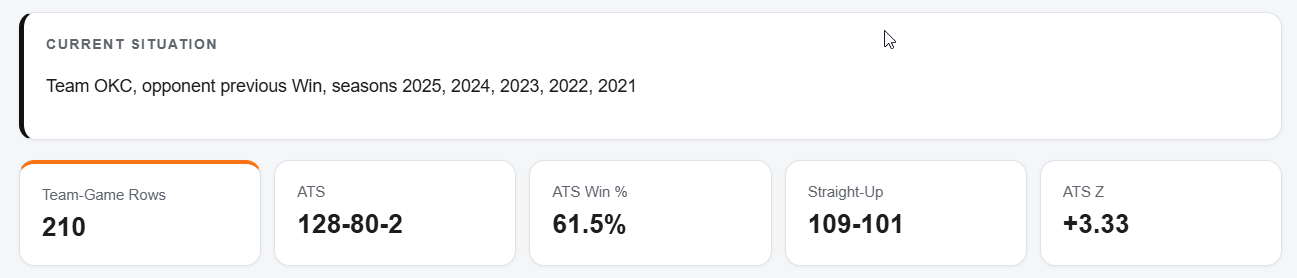
Current Situation
Home Team, all selected seasons.
| Date | Type | Season | Team | Opp | Site | Spread | Total | Actual | O/U | Score | ATS | SU | Prev | Prev Site | Two Back | Opp Prev | Days | W Streak | L Streak | Team % | Opp % |
|---|---|---|---|---|---|---|---|---|---|---|---|---|---|---|---|---|---|---|---|---|---|
| Run a query to view matching games. | |||||||||||||||||||||
Automated NBA Research
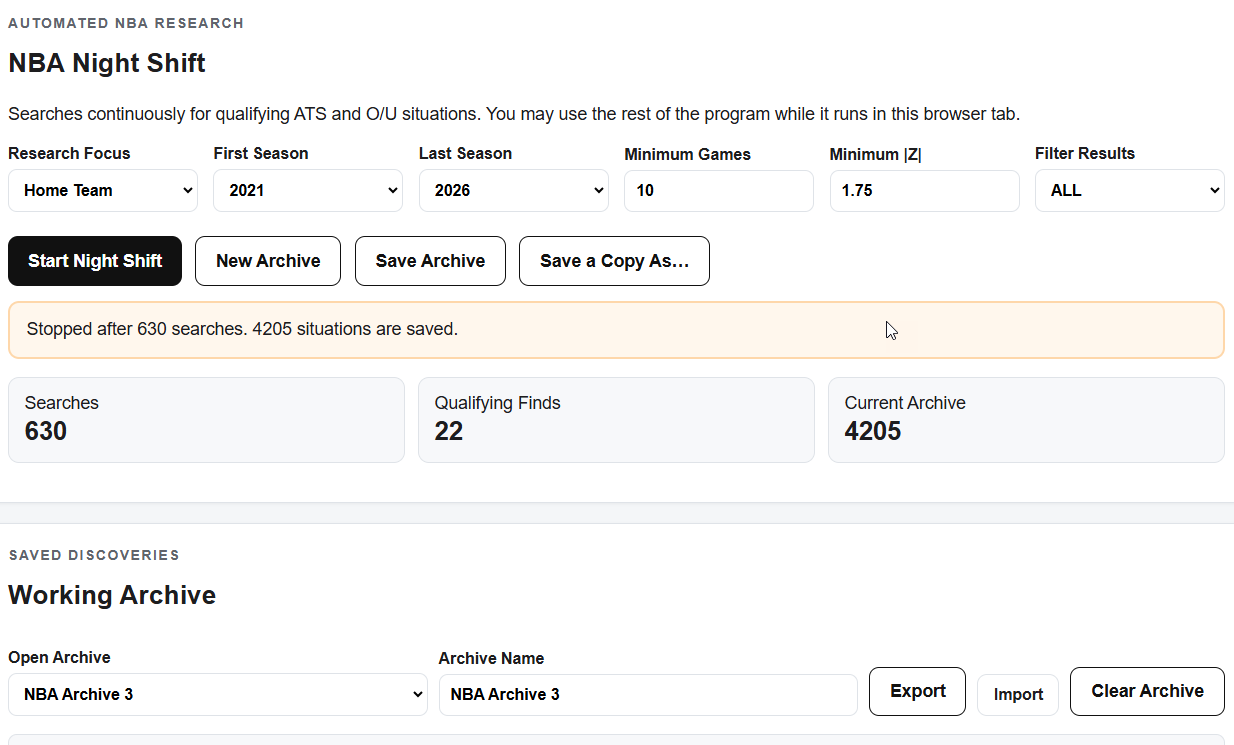
Searches continuously for qualifying ATS and O/U situations. You may use the rest of the program while it runs in this browser tab.
Ready. Choose a focus and season range.
Saved Discoveries
NBA Schedule and Lines
Select a date, load that day’s games, then apply the Current Working Archive to generate predictions.
Selected Date
Archive Matches
Instructions and Interpretation
The Optimizer combines historical database searches, automated pattern discovery, archives, and daily prediction tools in one research environment. Its purpose is to help you discover and investigate NBA situations with potentially useful ATS or over/under records.
Query Situations finds historical games matching conditions such as team, opponent, game type, home or road, previous results, rest, point spread, over/under, streaks, winning percentage, and season. Leave a field at All when you do not want it to restrict the search.
Night Shift continuously searches the historical database for qualifying ATS and O/U situations. By default, a qualifying situation contains at least 10 games and has an absolute Z-score of at least 1.75. You may change the season range, minimum games, and minimum absolute Z-score before starting.
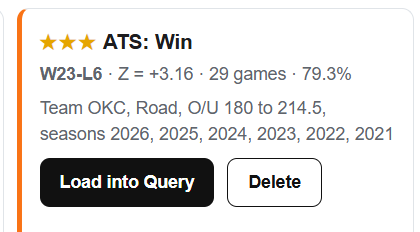
Each saved discovery includes its recommendation, record, Z-score, sample size, and defining conditions. Use Load into Query to inspect every historical game behind it. Use Delete to remove an unwanted situation.
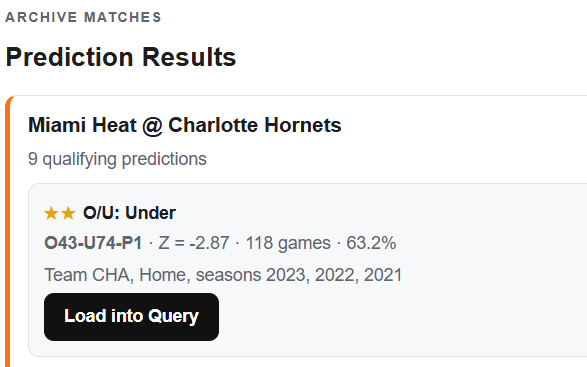
Daily Predictions compares the games on a selected date with the discoveries in the current Night Shift archive. A prediction appears when an archived situation matches the available context for a scheduled game.
A percentage alone is not a reliable ranking. A 1-0 record is 100%, while a 9-1 record is 90%, but the larger sample provides more evidence. A Z-score accounts for both the observed success rate and the sample size.
The Optimizer compares an observed ATS or O/U decision rate with a 50% reference. Conceptually, it subtracts 50% from the observed percentage and divides by the standard error. Positive and negative Z-scores indicate the direction of the result; larger absolute values indicate a stronger departure from 50%.
A Z-score above 2 or below -2 is often treated as statistically noteworthy in a single test. Night Shift uses a default threshold of |Z| at least 1.75 so promising situations can be examined further. Because Night Shift performs many searches, some impressive results will occur by chance. Z-scores identify patterns worth investigating; they do not guarantee future results.
The point spread is a handicap intended to balance the two sides of a wager. If Boston is a 3-point favorite, it is shown as Boston -3. Boston must win by more than 3 points to cover; a 3-point win is a push. ATS means against the spread and describes the result after the spread is applied.
The over/under, also called the total, is a posted number for the combined score of both teams. The game is Over when the combined score is higher, Under when it is lower, and a push when it equals the posted total.
A situation is a set of historical games sharing specified conditions. For example, a team, previous-game result, and season range can define a situation. Its historical ATS and O/U records may justify further study when a future game satisfies the same conditions.
Result Conventions
An ATS Win means the selected team covered its point spread. Pushes are excluded from the ATS winning percentage and Z-score.
Totals are counted once per game even when a query returns both team perspectives. Pushes are excluded from the O/U percentage and Z-score.
The Optimizer compares observed ATS or totals decisions with a 50% reference. Larger absolute Z-scores identify patterns worth investigating; they do not guarantee future results.
NBA databases contain many games, but narrow conditions can still create small samples. Individual matching games should always be reviewed.
SnoopData
This NBA edition applies the research approach developed for The Optimizer for Pro Football to professional basketball. It lets users examine the historical games behind ATS and totals patterns rather than relying only on a prediction.
The initial database contains six completed seasons, from 2020–21 through 2025–26.